A simple tool for easy labeling
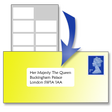
Easy Label Printer provides a straightforward way to print addresses onto sheets of labels. Whether you type in an address manually or import contacts directly from Outlook, Google Contacts, or a CSV file, you can quickly produce labels without fuss. It takes just a few clicks to select where on the sheet to print a single label, a full page, or anything in between, making it ideal for address labels, name tags, or simple mailing needs.
Top Recommended Alternative

How It works
Easy Label Printer makes creating and printing labels fast and hassle-free. This label printing app lets you import contacts, adjust layouts, and automatically format any size of label, streamlining your workflow. With its casual utility design, it avoids complicated features like mail merge while still letting you print single labels, full pages, or customized sections with minimal effort.
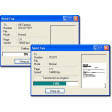
This printing software stands out for its simplicity. The user interface is straightforward and easy to navigate. Importing contacts, organizing them into a label list, and adjusting print layout is quick. For occasional label printing, such as mailing labels or small‑batch projects, it performs reliably. On the downside, its interface looks dated, and it can feel limited compared with full‑fledged design tools if you need advanced formatting or graphics.
Usability and everyday performance
If you want a nonsense, easy-to-use label printing solution that gets the job done without extra complexity, Easy Label Printer fits the bill. It’s a convenient tool for home offices, small businesses, or anyone who needs quick address labels or basic labeling tasks. For straightforward printing tasks, it’s often all you really need.